
See MyPropMan in action
What it does for you, how to set up a development, how easy it is to run day to day, and the practices we recommend to every client.
Try the live demo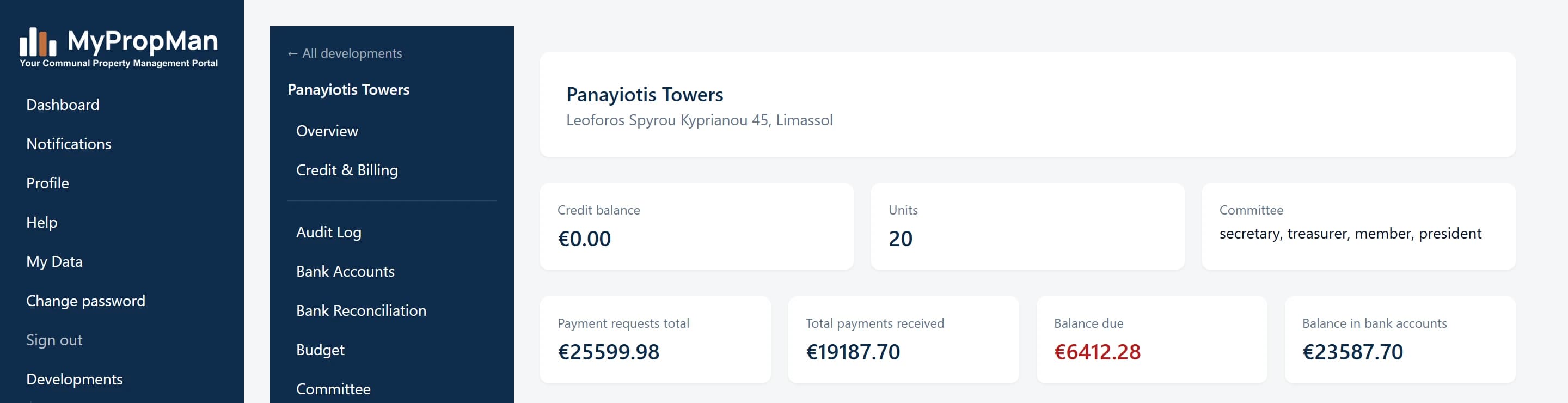
Why managing agents and committees switch
Hours back every month
Statements, payment requests, and overdue reminders generate and send themselves on schedule — no manual preparation, no missed sends, no chasing.
Built around Cyprus law
AGM/EGM timing, voting eligibility, and financial-year statements follow Law 6(I)/1993 directly — the compliance rules are already built in, not bolted on.
Full transparency for owners
Every owner sees their own balance, payment history, and development documents in their own portal — fewer "what do I owe?" calls to your office.
No training required
A guided six-step wizard sets up a new development in minutes. Day-to-day use is a handful of familiar screens, not a course you have to sit through.
Setting up a development — six steps
A guided wizard, start to finish. Most developments are fully set up in well under an hour.
Development details
Name, address, and registration date — the registration date alone is enough to correctly set the first financial period (6 or 18 months, so every period after lands on 1 Jan–31 Dec, per Section 7). Choose single cost centre or per-block ("complex") mode here too.
Building structure
In complex mode, add each block (apartments, houses, mixed) — each one becomes its own cost centre automatically, so shared and block-specific costs never mix.
Units
Add every unit with its type, floor, and area. This is the same data Table A/B certificates are generated from later — enter it once here and it’s never re-typed again.
Bank accounts
The operating account is compulsory — every payment request is issued against it. A reserve/contingency account is optional and can be added later.
Committee
Add the President, Secretary, and Treasurer (the statutory roles under Reg. 36-42) plus any other members. Each one gets a real invite email the moment they’re added.
Review & create
One summary screen — address, structure, units, bank account, committee — then a single "Finish" makes the development live. Nothing here is a separate signup or setup fee.
Easy to operate, day to day
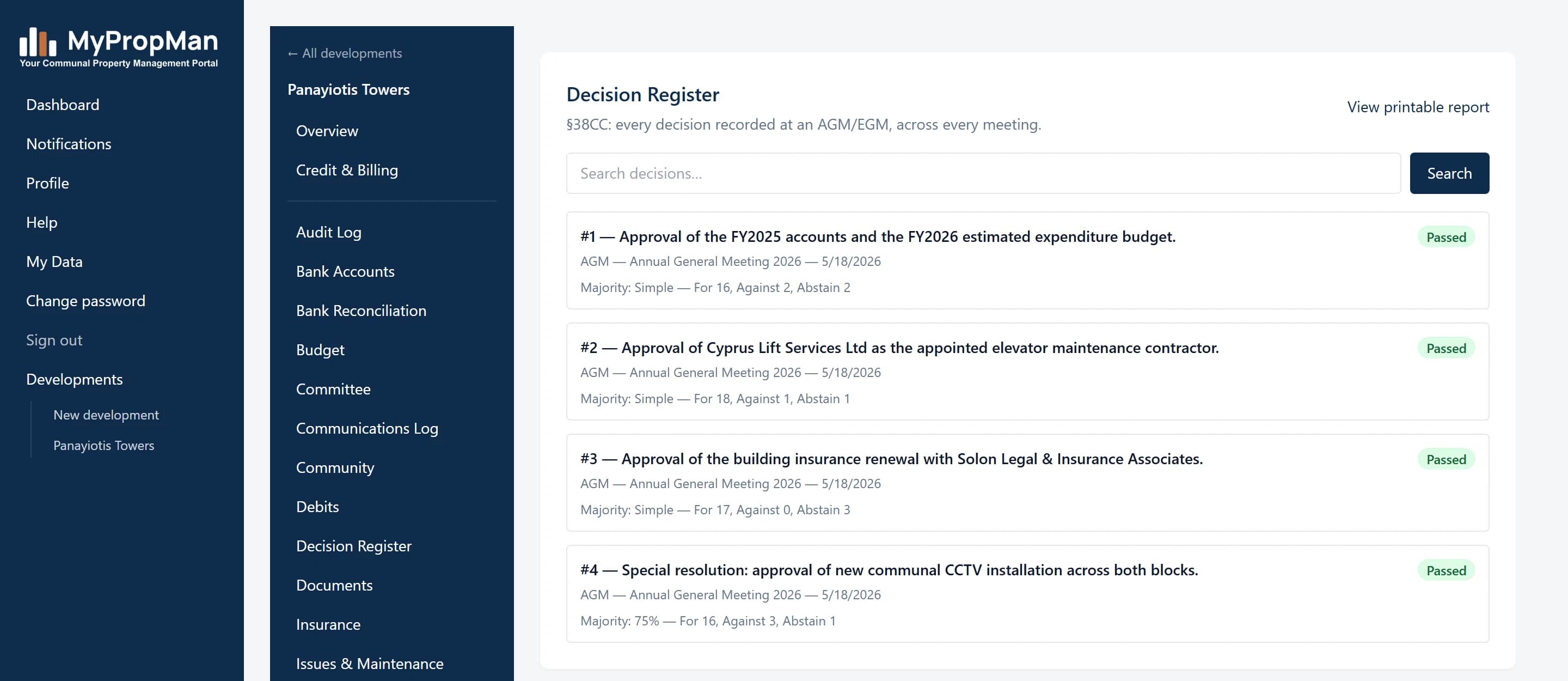
Compliance runs itself
AGM/EGM deadlines, insurance renewals, and lift/pool inspection dates all raise their own alerts before they become a problem. Every meeting decision is logged permanently, in the exact format Republic of Cyprus law requires for a printed record.
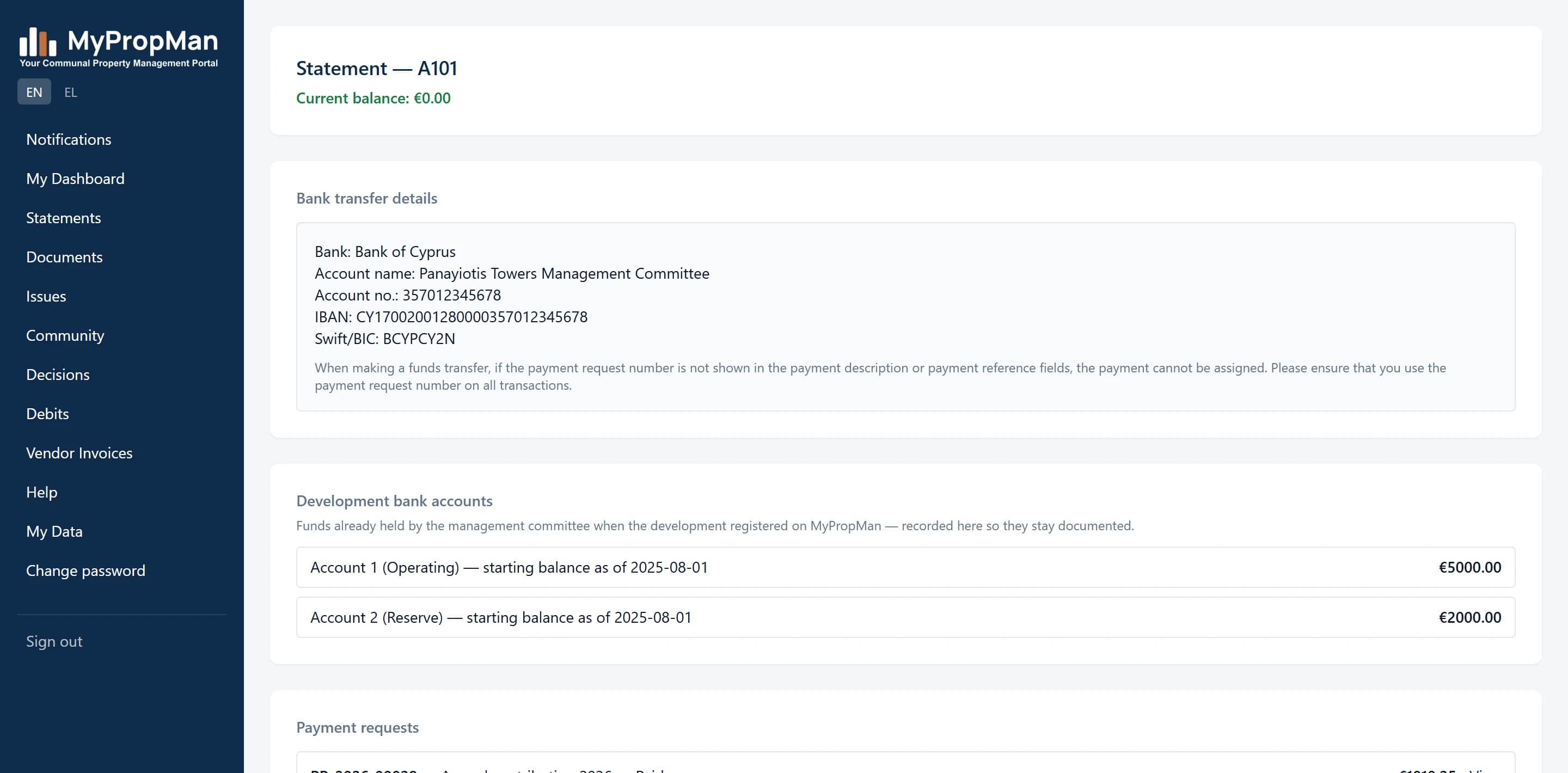
Owners see everything for themselves
Current balance, payment history, monthly statements, and development documents — all in the owner's own portal, updated automatically. Fewer phone calls asking what's owed, because the answer is always one login away.
Best practices we recommend
What actually keeps a development's books clean and its owners happy, from running the platform ourselves.
- Record credit top-ups and expenses as they happen, not in a backlog — the books stay accurate and the ledger genuinely means something.
- Reconcile bank statements against the portal regularly rather than letting a quarter build up — matching owner payments takes seconds when the gap is small.
- Keep every owner’s contact details current, including a secondary CC email and unit agent where relevant — that’s what keeps statements and payment requests actually reaching the right inbox.
- Respond to a low-credit warning as soon as it arrives rather than waiting for restricted mode — it exists specifically to give you the notice restricted mode doesn’t.
- Use the built-in correction and write-off tools for balance fixes instead of editing figures by hand, so the ledger keeps a clean, auditable trail of what changed and why.
- Let the automatic monthly statement run once you’re confident in the data, rather than sending manually every month — that’s the whole point of it.
- Keep insurance, lift, and pool compliance records up to date — the alerts only help if the underlying record is current.
- Use the Decision Register for every AGM/EGM outcome, even informal ones — it’s the record you’ll want in hand if a decision is ever questioned.
See it running on your own development
30 days free, no setup fee, no commitment. We'll help you set up your first development if you'd rather not do it alone.
Download this as a PDF to share or read offline.